
Creative Commons Attribution-ShareAlike 4.0 Unported License
Make Storybooks In Your Own Language
It maybe that you would like to make storybooks like the ones on this site in your own language, so I have written this short guide. We take as an example reproducing the first chapter of From the Awakening to the Chief Disciples in Korean:
First go to Gemini Notebook. If you don't have a google account you will need to make one. Sign in.
Then at the top of the page click on New Notebook:

It may open to a page like this where you can add sources:
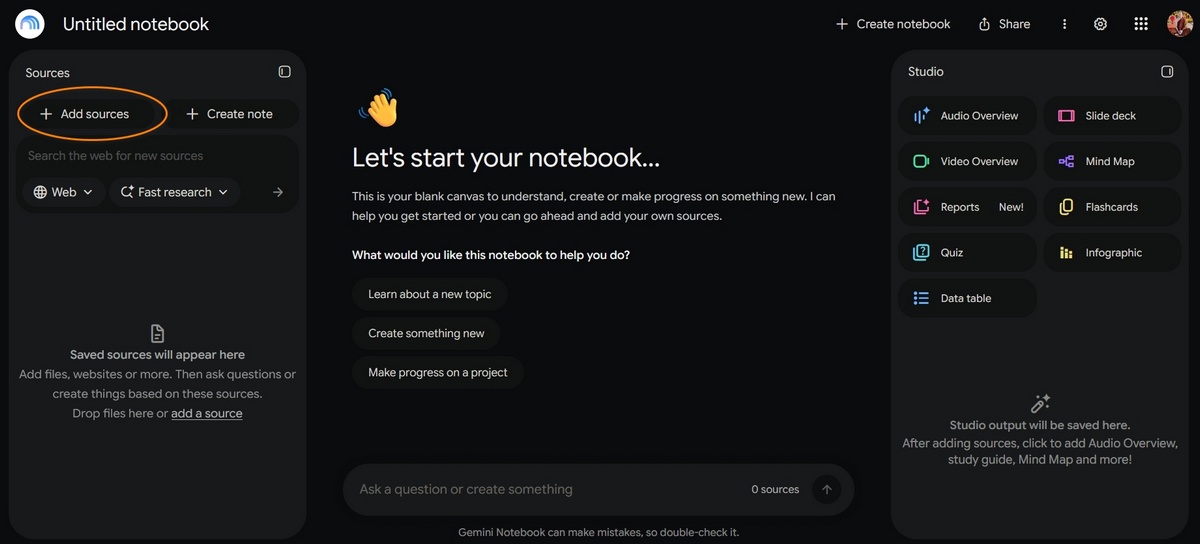
Or it may give you a direct way of adding sources:
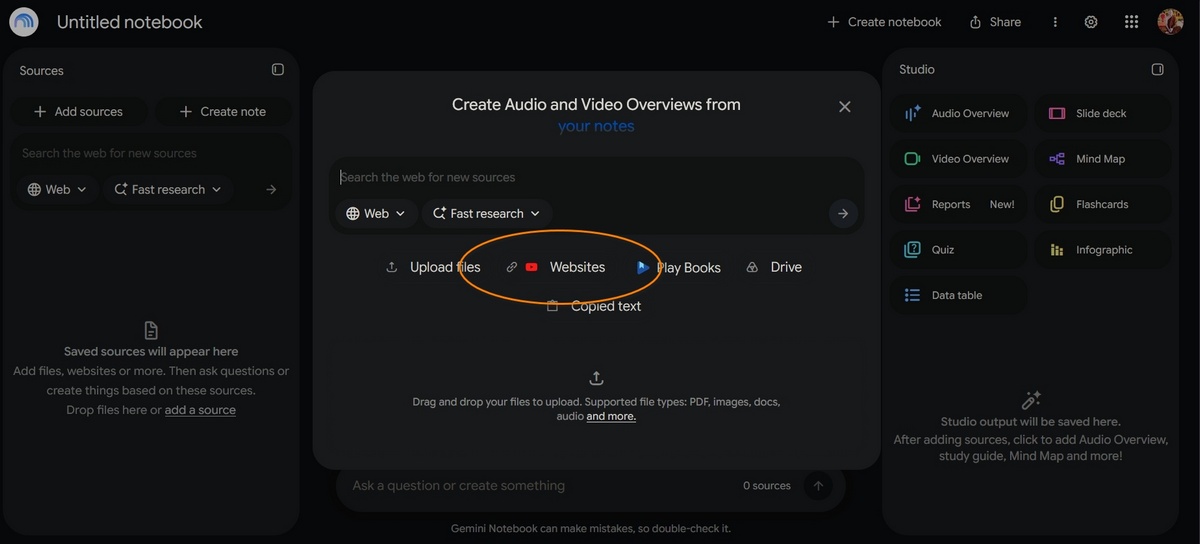
In this case we can click on Websites (but we could also add txt files, word files, pdfs, or whatever else you may wish, and from wherever you wish).
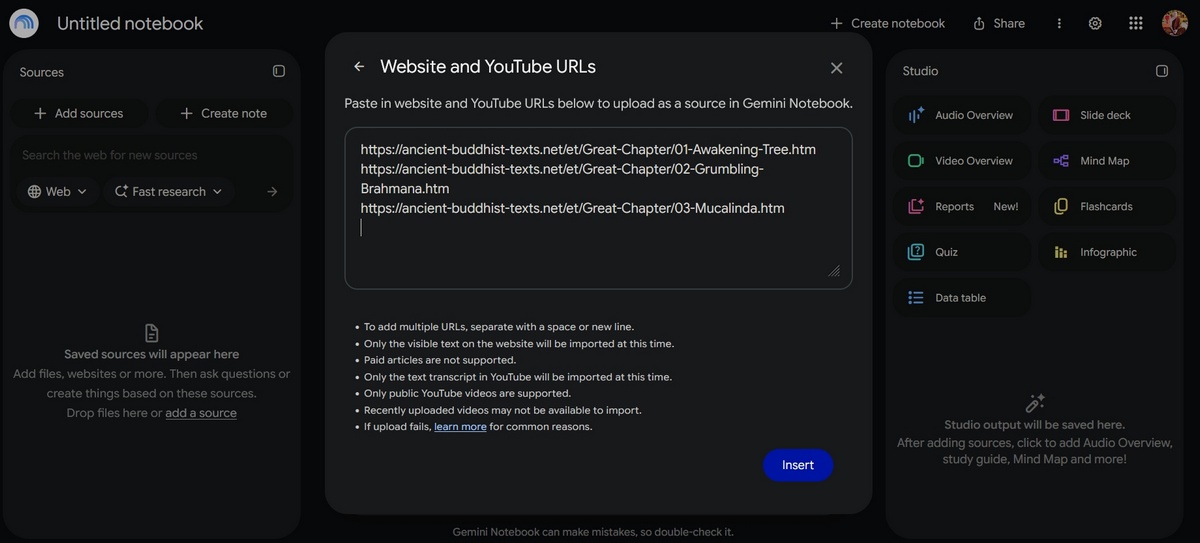
In our case we want to add website links:
https://ancient-buddhist-texts.net/et/Great-Chapter/01-Awakening-Tree.htm
https://ancient-buddhist-texts.net/et/Great-Chapter/02-Grumbling-Brahmana.htm
https://ancient-buddhist-texts.net/et/Great-Chapter/03-Mucalinda.htm
You can also add a mixture of materials, like photographs to guide styles, or pictures of persons as a guide to the person being illustrated.
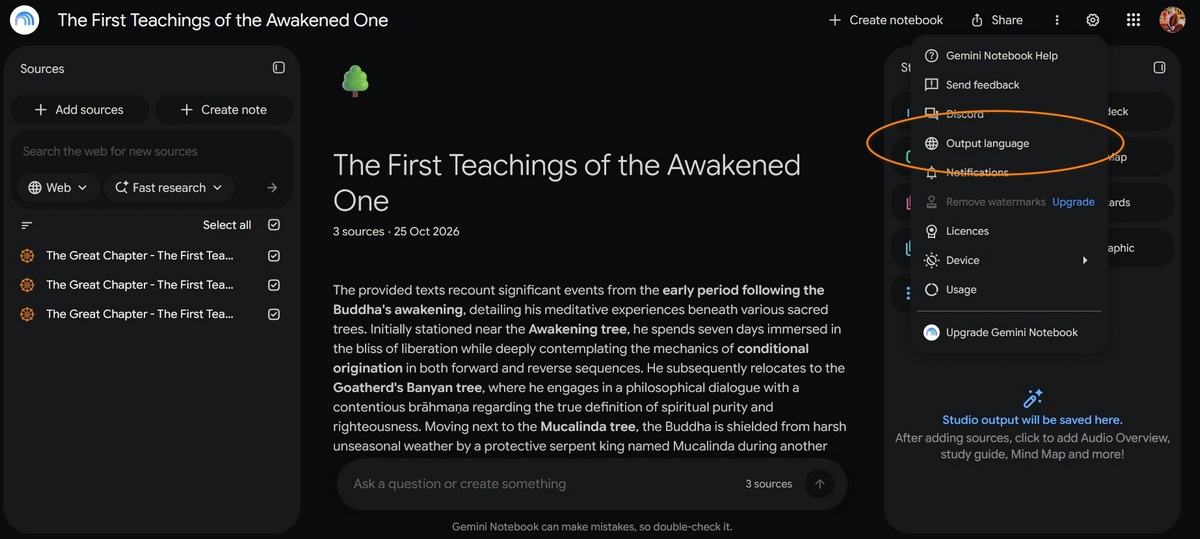
There are two places where you can set language output. First, and probably easiest, to simply have it set to your home language in settings. Click on the cog and if it isn’t set correctly choose your Output language:
It will probably set the language according to your OS settings, but if not click on the cog, and choose Output language. This will set the default for all output from then on.
In our example, scroll down to the bottom, and set the language to Korean.
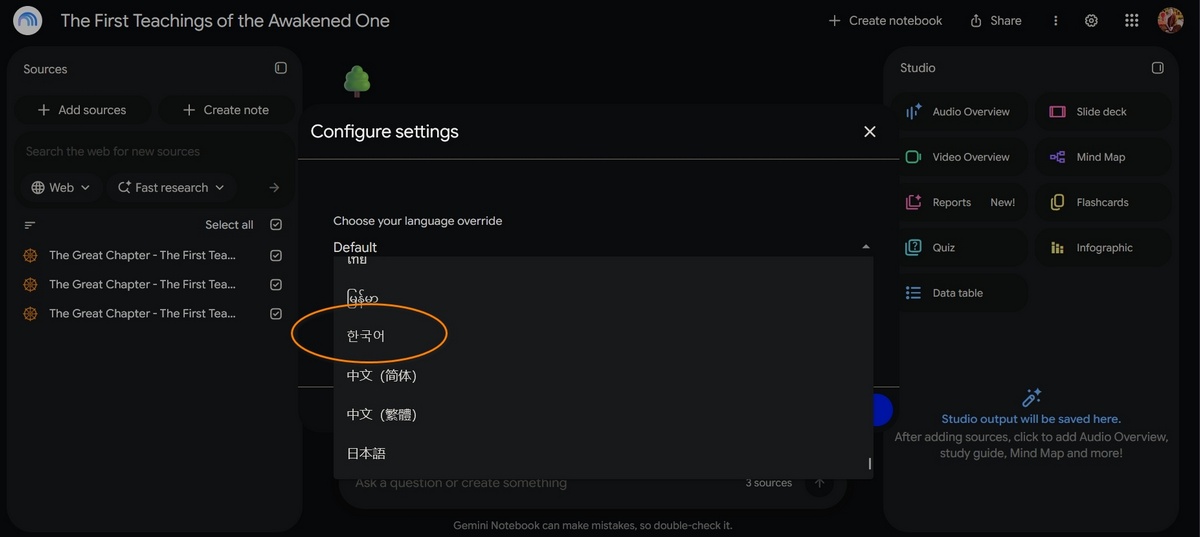
It is important to note you can give input and prompts, etc. in any language you like: Pāli, Sanskrit, Mandarin, etc. are also OK, this can be different from your output language. Gemini has a good understanding of most classical Buddhist languages.
Or you can click on Slide Deck, and when it opens set it there (but this will only set it for the current Slide Deck):
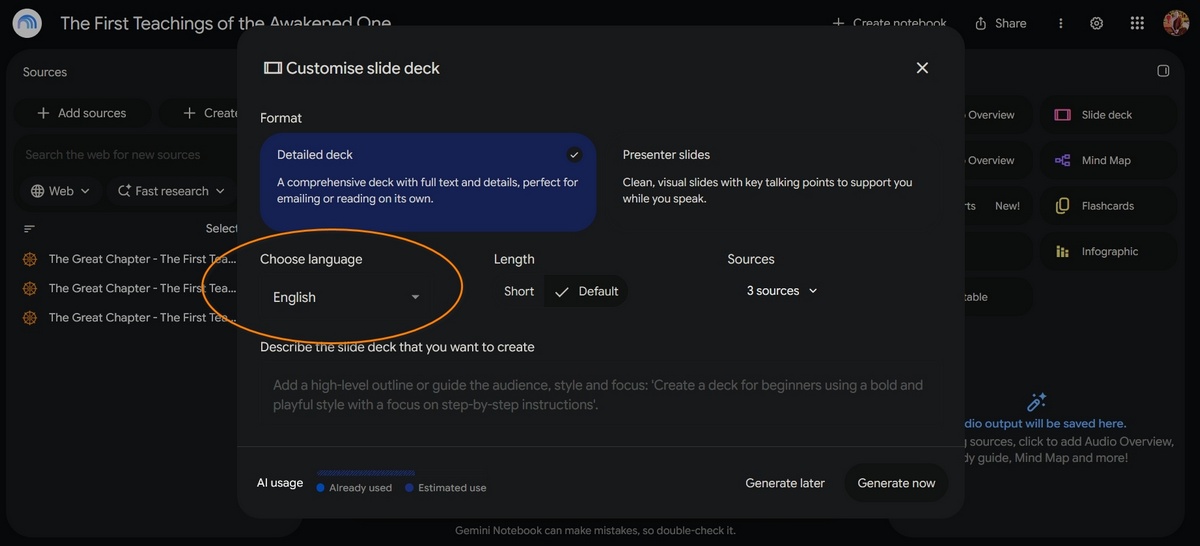
Then paste in the prompt. Choosing styles and giving clear instructions makes a big difference, here the prompt is:
Make the slides in the style of the Amaravati and Nagarjunakonda sandstone-coloured reliefs.
Keep text away from the edges.
A maximum of 50 words on each slide.
The slides should be more figurative and less abstract.
Householders and others should be Indians.
Monks and nuns should dress like Theravāda monks and nuns, with shaved, uncovered heads, orange robes.
Nuns should also have their right shoulder covered by a blouse under their outer robe.
The Buddha should always have his uṣṇiṣa.
There should be consistency in the appearance of the characters.
Make the monks’ robes orange in colour, and vegetation should be green, with flowers in natural colours.
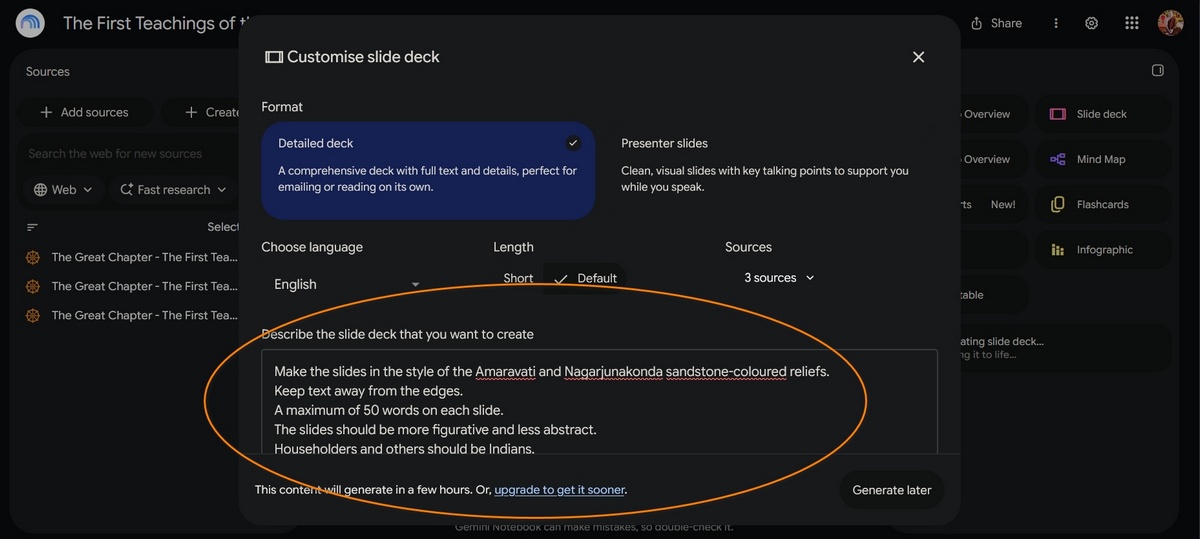
Once that is done, you can click Generate now.
Example output can be seen here.
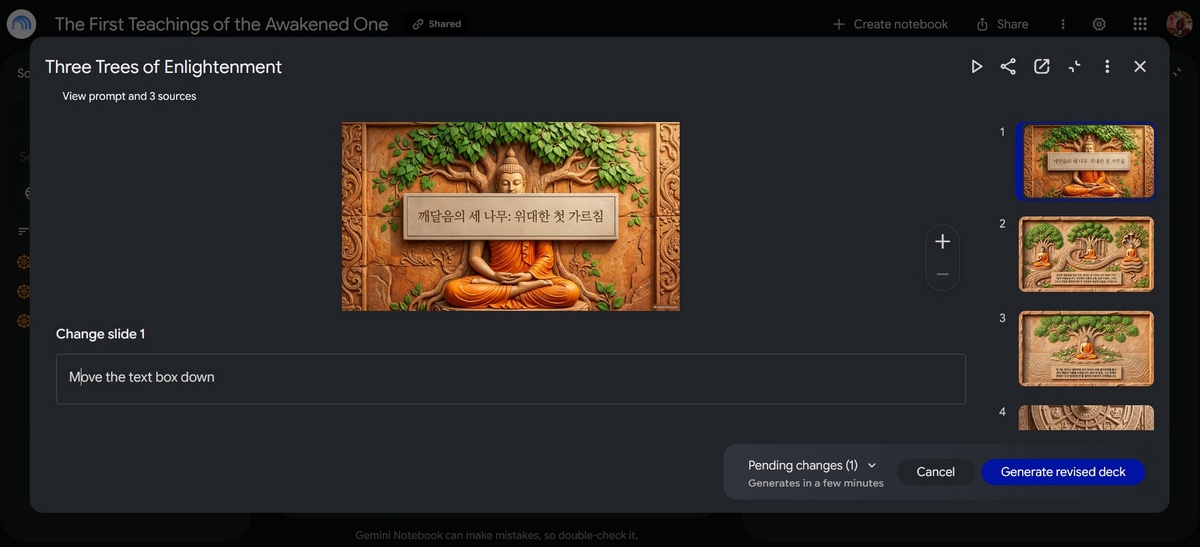
One important thing is usually it takes some review and re-editing to get it right. You will see for instance that the first of the slides produced covers half the Buddha’s head, which is not wanted.
So then click on the three dots "..." and choose Revise, and tell it to move the text box down. Go through the slides one by one telling it what you want to correct, such as the spelling, the title, etc.
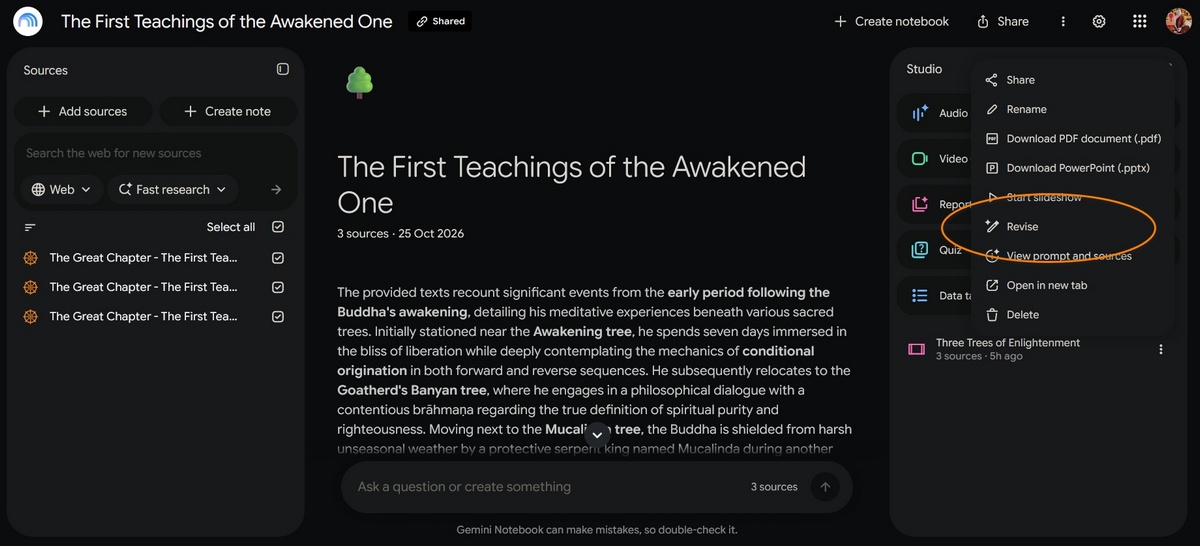
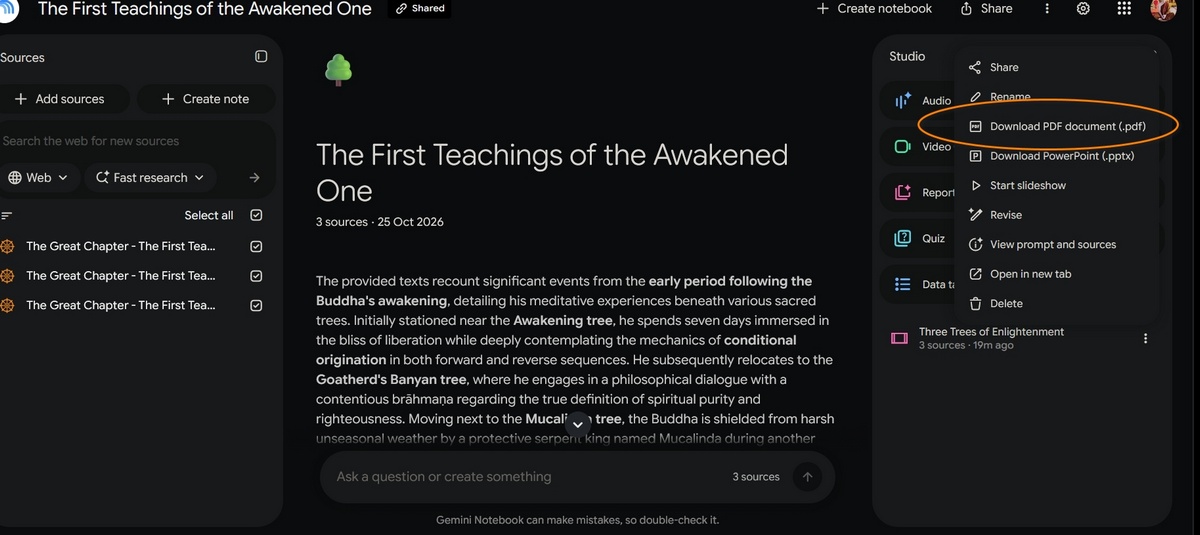
When everything is satisfactory you can then download the result in different formats. Personally I download the result as PDF.
I also remove the watermark (from the bottom right hand side), but that is a matter of extracting the images and editing the images off line. How you proceed is now up to you and your requirements.
Let’s spread the Dharma together, and especially make it accessible for children, so future generations can benefit from the Buddha’s teaching and be inspired by Buddhist history.